HEIC to JPG Converter
Convert iPhone HEIC photos to JPG so every website, upload form, and PDF tool works with your files.
Your iPhone HEIC photos keep getting rejected. Convert them to JPG so every browser, portal, and PDF tool accepts them.
image tools online — ready in seconds, no sign-up needed.
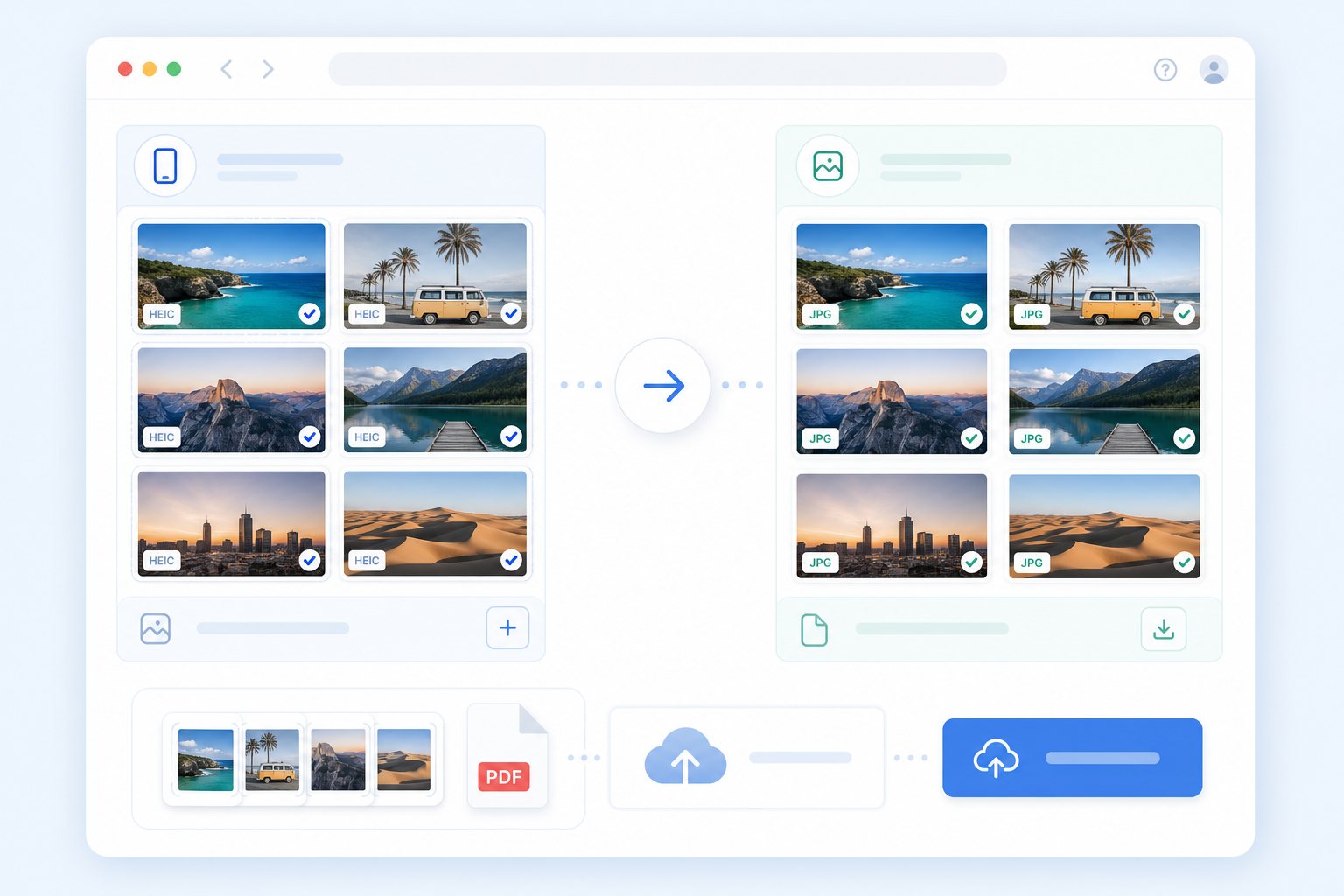
What problem this solves
Your iPhone HEIC photos are not accepted by the website, form, or upload system you are trying to use.
What result you should get
Get a JPG file that works everywhere — upload it, email it, convert it to PDF, or open it on any device.
Who this is for
For iPhone users whose HEIC photos keep getting rejected — convert to JPG and move on.
What this tool helps you do
- • Convert iPhone photos to JPG
- • Fix HEIC upload compatibility
- • Prepare photos for PDF conversion
- • Use JPG in forms and email attachments
How to use it
- 1. Select HEIC photos
- 2. Convert to JPG
- 3. Download JPG
- 4. Convert JPG to PDF
Why ordinary users choose this tool
Why people choose PhotoToPDF
- • Clear steps that are easy to follow even if you are not technical.
- • Focused on common upload problems instead of feature overload.
- • Browser-first tools whenever possible, so basic tasks feel faster and more private.
- • Strong internal links so you can move to the next step without guessing.
Advantages over many similar tools
- • Less clutter and fewer distractions around the core conversion task.
- • Explains what each tool is good for instead of making users guess.
- • Built around real file scenarios like homework, receipts, forms, screenshots, and uploads.
- • More guide-style navigation between compression, resizing, and conversion steps.
Common situations for this tool
School and homework
Turn assignments, notebook pages, and screenshots into one clean file that submission portals can accept.
Work, records, and forms
Prepare office uploads, HR forms, reimbursement docs, records, and applications without jumping between tools.
Phone photos and quick captures
Start from iPhone or Android and get cleaned, resized, or PDF-ready files in one workflow.
Not available yet
This tool is not ready yet. Use the related tools below for now, or start with the main converter on this site.
What problem this solves
Your iPhone HEIC photos are not accepted by the website, form, or upload system you are trying to use.
What result you should get
Get a JPG file that works everywhere — upload it, email it, convert it to PDF, or open it on any device.
Who this is for
For iPhone users whose HEIC photos keep getting rejected — convert to JPG and move on.
Searches and file needs this page covers
This page covers the most common search terms and real upload problems — so you can find what you need fast.
Privacy and processing
Your files stay on your device during conversion. Start with the simplest tool — only move on if your upload still fails.
Result preview
Where people usually use this tool
Phones and screenshots
Convert iPhone and Android photos, screenshots, scans, and quick document captures from any mobile browser.
School and office uploads
Upload homework, forms, receipts, and applications to any system that only accepts specific file formats.
After this tool finishes
After this step, you may need compression, resizing, or another conversion depending on your upload requirement.
Recommended next steps
Related keyword paths
Users often reach this page through search terms like image tools online, compress image, resize image, upload help, make image smaller, screenshot to PDF, or multiple images to PDF. These related tool paths help capture those next steps.
Related tools
FAQ
What does heic to jpg converter help with?
Your iPhone HEIC photos are not accepted by the website, form, or upload system you are trying to use.
What result should I expect from heic to jpg converter?
Get a JPG file that works everywhere — upload it, email it, convert it to PDF, or open it on any device.
Why use PhotoToPDF for image tools online?
Because your files stay in your browser and the whole process takes about 30 seconds from upload to download. No sign-up, no server uploads, no learning curve.
Can this help with upload problems?
Yes. Many people use heic to jpg converter because a form, school portal, office website, or email workflow requires a smaller, clearer, or more compatible file.
What should I use after this tool?
After this step, many users continue into Photo to PDF, Image to PDF, JPG to PDF, PNG to PDF, Image Compressor, or Image Resizer depending on the final upload requirement.
What people usually do next
After this step, many people continue into another converter, cleanup tool, compressor, or PDF workflow depending on the final upload requirement.